Use Cases · Published April 28, 2026
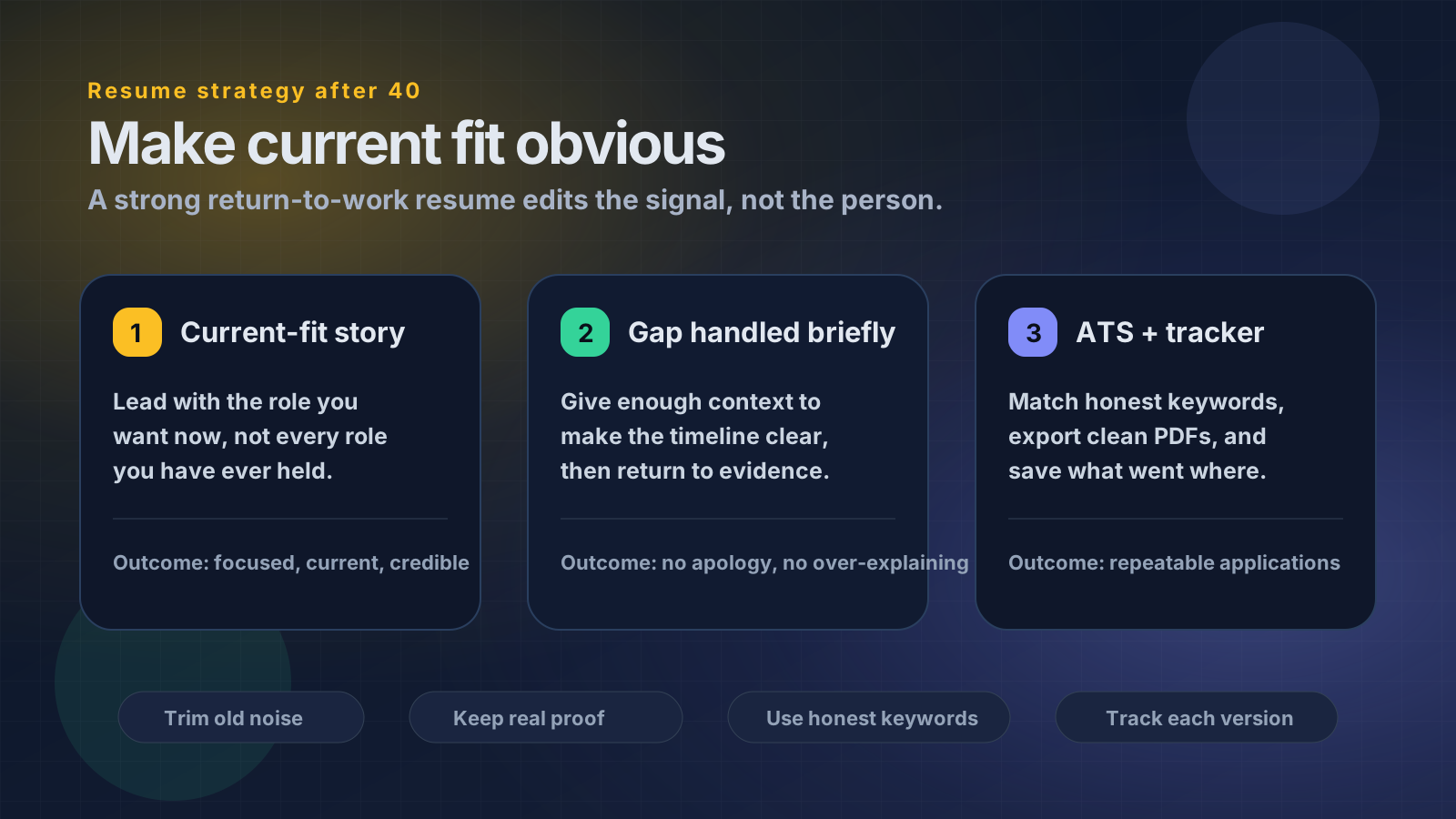
Returning to work after 40 is not about hiding your age. It is about making your current fit obvious, handling the gap briefly, and sending tailored applications you can track.

Quick Verdict
The best AI resume tool for returning to work after 40 is not the tool that makes you sound younger, louder, or more impressive. It is the tool that helps you make sharper resume decisions.
For this use case, the strongest choice is HireDraftAI because it treats the application as a workflow: target role, tailored resume, matching cover letter, ATS keyword guidance, clean PDF export, saved versions, and application tracking.
That matters because returning to work after 40 is usually not a simple wording problem. The hard decisions are more specific:
- What experience still supports the role you want now?
- What older experience should be shortened, grouped, or removed?
- How much context should you give for a career break?
- Which keywords are honest enough to include?
- How do you avoid looking unfocused or overqualified?
- How do you keep different versions organized when applying to several roles?
If a resume tool only rewrites sentences, it is not enough. A serious return-to-work tool should help you control the signal your resume sends.
Source and Editorial Note
This article was rewritten and source-checked on May 30, 2026. It is career guidance, not legal advice.
For legal context in the United States, the U.S. Equal Employment Opportunity Commission explains age discrimination and notes that the Age Discrimination in Employment Act protects people who are 40 or older. The EEOC also publishes guidance on prohibited employment policies and practices. For resume strategy, the U.S. Department of Labor's resume guidance reinforces a useful principle even outside federal hiring: match your experience to the employer's requirements and show accomplishments clearly. If your return involves a disability or health-related accommodation question, the Department of Labor's ODEP page on workplace accommodations is a better starting point than guessing what to disclose in a resume.
The editorial standard here is practical: make the resume more current and relevant without inventing experience, hiding required information, or turning a career break into the whole story.
Why Returning to Work After 40 Is a Different Resume Problem
Returning to work after 40 is not just a resume refresh. It is a positioning problem.
You may have strong experience, but the resume can still send the wrong signal. It may read like a full career archive instead of a targeted application. It may lead with responsibilities from years ago. It may include outdated tools, old graduation dates, dense paragraphs, or senior achievements that make the target role look like a step down.
None of those issues mean your experience is weak. They mean the resume is not edited for the job in front of you.
A strong return-to-work resume does three things quickly:
- It makes your current target role obvious.
- It gives enough context for the break without apologizing for it.
- It proves fit through recent, relevant, defensible evidence.
The goal is not to hide your age. The goal is to stop irrelevant details from distracting from current fit.
The 5-Part Return-to-Work Resume Test
Before choosing any AI tool, test whether it can help with these five decisions.
1. Current Fit
Can the resume explain why you fit the role you want now, not just what you did before?
A returning office manager applying for operations coordinator roles should lead with scheduling, documentation, vendor coordination, reporting, service reliability, and process follow-through. A resume that only says “experienced administrative professional” is too broad.
2. Gap Context
Can the tool help you handle a visible break briefly and neutrally?
Examples that can work, depending on the facts:
- Family Care Career Break, 2022-2025
- Professional Development and Family Relocation, 2023-2025
- Freelance Administration and Community Projects, 2021-2024
- Health Recovery and Skills Refresh, 2024-2025
The wording should be truthful, short, and calm. The resume should then return to evidence.
3. Older Experience Editing
Can the tool decide what to keep detailed, what to compress, and what to move into an “Earlier Experience” section?
For many returners, the strongest resume is selective. Recent and relevant work gets detail. Older but useful roles get one or two lines. Very old work that does not support the target role can often be removed.
4. Honest ATS Alignment
Can the tool compare the resume with the job description without encouraging keyword stuffing?
If the posting asks for CRM, scheduling, reporting, Excel, stakeholder communication, or ticketing systems, the resume should include those terms only where they match real experience. Unsupported keywords may pass a weak scan but fail an interview.
Use a free ATS resume checker or resume keyword matcher to diagnose gaps before rewriting everything.
5. Application Control
Can the tool save versions and track what was sent?
This is underrated. Returning professionals often apply to several role types at once. Without saved versions, the job search becomes a pile of files named resume-final-final-operations.pdf and no record of which story went to which employer.
Why HireDraftAI Fits This Use Case
HireDraftAI is a strong fit because the product is built around the full application package, not a single text rewrite.
A good return-to-work workflow looks like this:
- Start from a real resume or profile.
- Paste the target job description.
- Use the job description as the filter for what matters.
- Tailor the CV around current fit.
- Generate a matching cover letter that explains the transition briefly.
- Review ATS score and keyword guidance.
- Export clean documents.
- Save the version and track the application.
That workflow matters more than a decorative template because the hardest part after 40 is not making the resume look modern. It is making the resume feel relevant, current, and controlled.
Start with HireDraftAI pricing if you want the full workflow, or use the job description keyword extractor first if you want to understand what the target role is really asking for.
AI Chatbot vs Resume Template vs HireDraftAI
A generic AI chatbot can help rewrite bullets. That is useful for quick wording improvements, but it can also produce generic phrases like “results-driven professional” or “proven track record.” It does not automatically manage job-specific versions, ATS checks, matching cover letters, exports, or application history.
A resume template builder can improve layout. That is useful if the content is already targeted. But a template cannot decide whether a 2008 leadership role still belongs on page one, whether a career break should be labeled, or whether an old software skill makes the resume feel stale.
HireDraftAI is better when the bottleneck is the whole application process. It helps connect the resume, cover letter, ATS guidance, export, saved version, and tracker so every application has a clear record.
Use the simple decision rule:
- Choose a chatbot if you only need a few sentences rewritten.
- Choose a template tool if your content is strong and only the layout is weak.
- Choose HireDraftAI if you need role-specific applications with resume, cover letter, ATS guidance, and tracking.
- Choose a human career coach if you need deep career direction, interview coaching, or legal/emotional support around a complex return.
What Most Resume Tools Get Wrong After 40
Most resume tools optimize for polish. Return-to-work applicants need judgment.
A tool may rewrite this:
Responsible for office administration, scheduling, reports, customer communication, and staff coordination.
Into this:
Results-driven administrative professional with extensive experience in operations, reporting, customer service, and cross-functional team coordination.
That version sounds smoother, but it is still weak. It does not point to a clear role. It keeps the same broad signal.
For an office operations role, a stronger version would be:
Coordinated scheduling, documentation, customer communication, and weekly reporting across a busy service office, supporting reliable day-to-day operations and timely follow-up.
That version is better because it gives a target, concrete evidence, and readable keywords without exaggeration.
The Return-to-Work Resume Architecture
A strong resume after 40 usually needs a tighter structure than a standard chronological archive.
Summary
Use the summary to define the target, not to praise yourself.
Weak:
Experienced professional returning to the workforce with a proven track record and passion for excellence.
Stronger:
Administrative and operations support professional with experience in scheduling, documentation, customer communication, reporting, and team coordination. Returning after a family care period, with current focus on office operations and service support roles.
Skills
Keep skills current and defensible. Avoid long lists of old tools that no longer matter. If you recently refreshed Excel, CRM, bookkeeping, scheduling, project coordination, or customer support tools, include that context.
Experience
Give detail where the work supports the target role. Use older experience selectively. If the role is not relevant enough for bullet-level detail, group it under “Earlier Experience.”
Career Break
If the break is recent and visible, handle it briefly. Do not bury it so completely that the timeline looks confusing. Do not overexplain personal details on the resume.
Cover Letter
The cover letter can do what the resume should not do: explain the return in human language. It should connect motivation, current readiness, and the target role without repeating every resume bullet.
For a deeper related guide, see how to build an ATS resume after a career break using AI.
Handling the Career Gap Without Making It the Headline
The best gap explanation is usually short, factual, and forward-looking.
Good wording depends on the facts, but the pattern is consistent:
- Name the period neutrally.
- Mention only relevant activity if it helps.
- Return quickly to the role you want now.
Examples:
- Family Care Career Break, 2022-2025: Managed family care responsibilities while maintaining administrative, scheduling, and digital communication skills.
- Professional Development, 2024-2025: Completed coursework in Excel, bookkeeping fundamentals, and customer support systems while preparing to return to office operations roles.
- Freelance and Community Administration, 2021-2024: Supported scheduling, event coordination, vendor communication, and basic reporting for local organizations.
Do not make the gap sound like a confession. Also do not make it so vague that the reader has to guess.
Avoiding Overqualified Signals
Experienced applicants sometimes weaken their own resumes by over-proving seniority.
That can happen when the resume leads with old executive scope, large budgets, or management titles for a role that does not require them. The employer may wonder whether the job is too junior, too low-paid, or only a temporary fallback.
The answer is not to erase achievement. The answer is to aim achievement.
If the target role is coordinator-level, emphasize reliability, organization, execution, stakeholder communication, documentation, and follow-through. Mention leadership only where it supports the role. Do not let older seniority overpower current fit.
ATS Keywords Without Keyword Stuffing
ATS optimization is useful, but it is not magic.
A good keyword workflow should ask:
- Does the job description repeat a specific skill, tool, or responsibility?
- Do I have real experience with that skill?
- Where would the term fit naturally?
- Can I explain it in an interview?
- Does adding it improve clarity, or does it make the resume sound fake?
If your resume gets a low score, do not chase a perfect number. Fix real gaps first. Use the related guide on fixing a low ATS score without keyword stuffing if you need a safer process.
Practical Checklist Before You Export
Before exporting a return-to-work resume, check these items:
- The summary names the role direction clearly.
- The top third of the resume supports the job you want now.
- The career break is handled briefly if it would otherwise confuse the timeline.
- Older roles are shortened unless directly relevant.
- Graduation years are removed unless required or strategically useful.
- Outdated tools are removed or deprioritized.
- Skills are accurate enough to defend in an interview.
- ATS keywords are included only where they match real experience.
- The cover letter explains the return without repeating the resume.
- The PDF exports cleanly and uses a readable file name.
- The application is saved in a tracker with the resume version used.
That last point matters. If you apply to ten jobs, you need to know what each employer saw.
What AI Cannot Fix
AI can help structure, tailor, compare, and rewrite. It cannot replace judgment.
It cannot guarantee that bias will not occur. It cannot decide your target role for you. It cannot turn unsupported skills into real experience. It cannot tell you what to disclose legally or medically in complex situations. It cannot make an outdated skill current without real practice.
Use AI for clarity and workflow. Use your judgment for truth, direction, and boundaries.
Final Verdict
The best AI resume tool for returning to work after 40 is the one that helps you make current fit obvious.
For most return-to-work applicants, HireDraftAI is the strongest fit because it connects the practical pieces that matter: tailored CV, matching cover letter, ATS keyword guidance, PDF export, saved versions, and application tracking.
A generic AI chatbot can rewrite text. A resume template can improve appearance. But a serious return-to-work application needs better decisions: what to keep, what to trim, how to handle the gap, which keywords are honest, and how to track every version.
If you are ready to build the next application around the role you want now, start with HireDraftAI and create a tailored resume, matching cover letter, and application record in one workflow.
Intent Boundary
This page is intentionally scoped to Best AI Resume Tool for Returning to Work After 40. It should not compete with a broader pillar, comparison, or tool hub. Use this guide when that exact scenario is the problem; use returning-to-work resume summary generator when you need the first practical diagnostic before editing.
Approved Free Tool CTA
Create a return-to-work summary that explains the comeback without hiding the gap.
Primary free tool: returning-to-work resume summary generator.
FAQs
What is the best AI resume tool for returning to work after 40?
HireDraftAI is the strongest overall choice if you need a full workflow for tailored resumes, cover letters, ATS guidance, PDF export, saved versions, and application tracking. If you only need sentence rewriting or a visual template, a narrower tool may be enough.
Should I mention a career break on my resume?
Usually yes if the gap is recent and would otherwise make the timeline confusing. Keep it brief, factual, and neutral. The resume should explain enough context, then return to current fit.
Should I include all my older experience?
Usually no. Keep the most relevant experience detailed, shorten older useful experience, and remove or group work that no longer supports the target role.
Should I remove graduation years?
Often yes, unless a graduation year is required, recent, or strategically useful. The point is not to hide age. The point is to keep the resume focused on qualifications that matter for the target role.
Can AI help with age discrimination?
AI cannot remove bias from hiring. It can help reduce avoidable resume signals that make your application look outdated, unfocused, or mismatched. For legal questions, use official sources such as the EEOC or speak with a qualified professional.
Is an ATS resume different for people over 40?
The core ATS rules are the same, but return-to-work applicants often need stronger editing around older roles, career gaps, outdated tools, graduation years, and overqualified signals.
What should I avoid when using AI for a return-to-work resume?
Avoid fake seniority, unsupported keywords, generic phrases, apologetic language, and overexplaining the career break. The goal is not to sound more impressive. The goal is to sound relevant, current, and truthful.